
A shortfall does not always mean your client has run out of assets. In some cases, the plan still contains asset balances, but those assets are not available to fund the client's spending in that year.
The most common reasons are outlined below.
Withdrawal limits may prevent the asset from being used
Each investment account includes a Withdrawal Limit setting that controls how the account can be used.
If an account is restricted to Scheduled Only, Do Not Allow or another withdrawal limit that prevents automatic distributions, Voyant will not use the account to cover unexpected spending or shortfalls.
If no eligible assets remain available for withdrawal, the plan may show a shortfall even though other accounts still have a balance.
Legislative rules may restrict withdrawals
Some account types are subject to legislative or product-specific withdrawal rules.
For example, qualified retirement accounts may have age-based restrictions or required withdrawal rules that affect when funds can be accessed.
If the client's age or the account type prevents additional withdrawals, the remaining balance may not be available to meet spending needs during that year.
The account may not have sufficient available funds
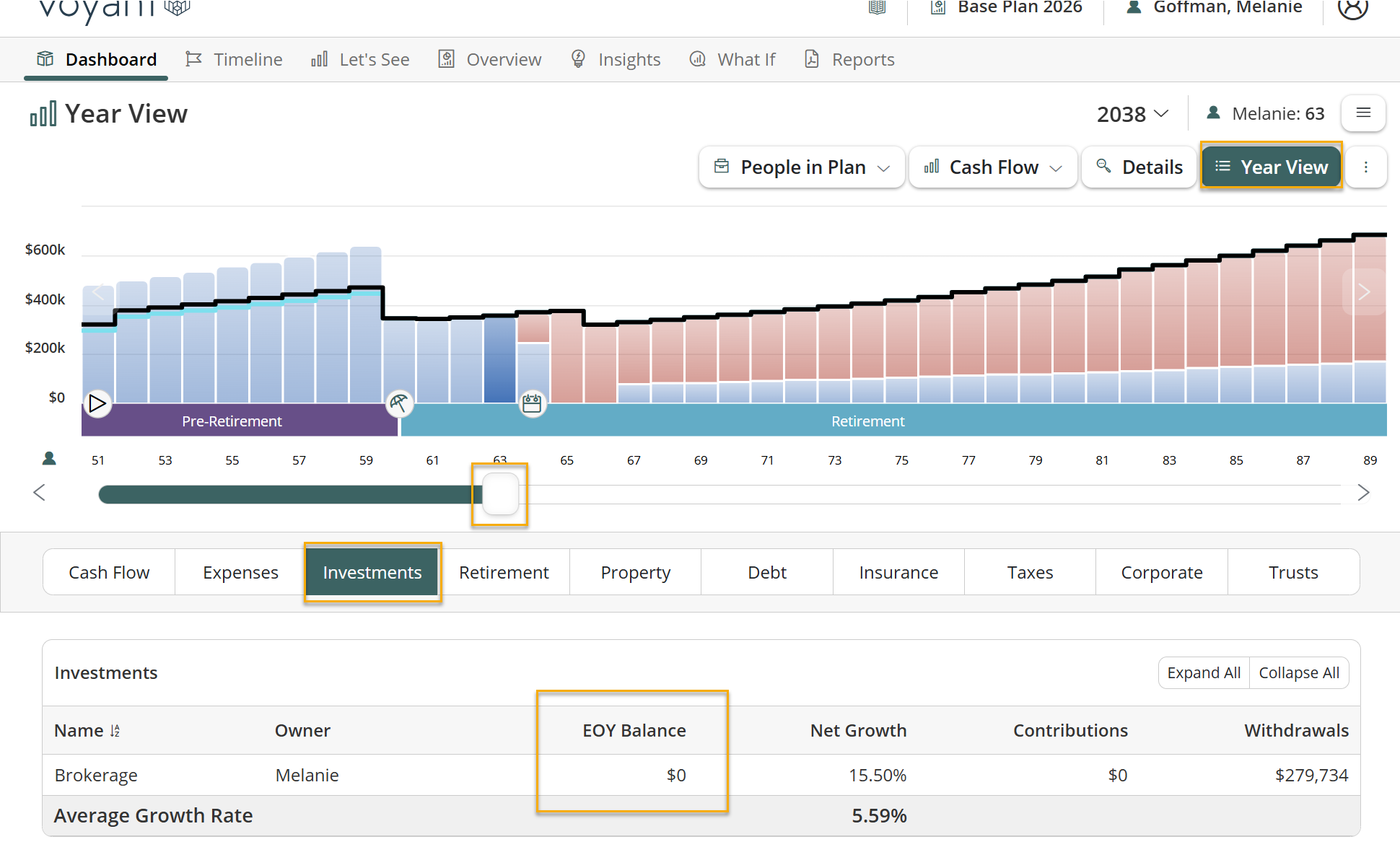
Review the account balance in the year the before the shortfall occurs and the year of to confirm whether sufficient funds remain available
 A preferred payment source may be restricting available assets
Expenses and goals can be configured to use a Preferred Payment Source.
If a preferred payment source has been selected, Voyant will first attempt to fund the expense or goal from the specified account. If that account is unavailable due to insufficient funds, withdrawal restrictions, or legislative rules, the plan may show a shortfall even though other assets remain available.
Review the expense or goal to confirm whether a preferred payment source has been assigned and whether it is preventing other eligible assets from being used.
.
How to troubleshoot
If your client has a shortfall while assets remain in the plan, check the following:
- Review the asset's Withdrawal Limit setting to determine whether withdrawals are restricted.
- Confirm the account type and whether legislative withdrawal rules apply based on the client's age.
- Go to Year View and review the year before and the year in which the shortfall occurs.
- Compare the required withdrawal with the account's available EOY Balance.
- Review Investments and Retirement in Year View to confirm whether withdrawals are occurring as expected.
- Review the Preferred Payment Source for the expense or goal to confirm it is not restricting which assets can be used.
In many cases, reviewing the year in which the shortfall first appears will help identify why a particular account was unavailable to fund the client's spending.